

Open Enrollment
Choosing your benefits is one of the most important decisions you'll make each year. The coverage you select can impact your healthcare, financial protection, and access to valuable resources for the year ahead. That's why it's important to take the time to review your options and choose the benefits that best fit your needs and those of your family.
This virtual Benefits Fair was designed to make that process easier. Explore each booth to learn about available plans, compare coverage options, watch educational videos, and access tools and resources from our benefit partners. Benefit elections made during Open Enrollment will become effective January 1, 2027.
Open enrollment is October 23 through November 6.
This is your opportunity to make changes to your current health plan elections for the upcoming plan year. During open enrollment, you may:

Enroll in your benefits

Add or remove dependents

Enroll in spending accounts
This site will be available to you on demand all year. Take some time to review this information and return to this site whenever you or your family members have questions or want to review your benefits.
For this year’s Open Enrollment, all employees covering a spouse will be required to make a new medical election and attest to their spouse's eligibility through their employer or other sources of coverage. Employees who do not attest will have the spousal surcharge automatically applied.
Remember
After this enrollment period, you won't have the opportunity to change coverage, unless you have a qualifying life event, so please make sure you enroll by November 6.
All benefit elections made during Open Enrollment will be effective January 1, 2027
-
00
days
-
00
hours
-
00
minutes
-
00
seconds

Explore Your Benefits
Access the resources available to help you learn more about your coverage and benefit programs. Use the Benefits Guide and Rate Sheet below to view plan details, review costs, and reference important information throughout Open Enrollment.
Choose one of the following ways to enroll in your McLeod benefits:
Computer: Go to Oracle located in the left panel of the Compass and select Benefits Enrollment or visit www.mcleodoracle.com (company key: McLeod).
Mobile App: Use the MyChoice mobile app. For more information log into Benefitsolver.
Phone: Call Benefits Enrollment Counselor at 844.436.7172, Monday – Friday 8:00 a.m. – 8:00 p.m.
Pet Insurance: To enroll in Pet Insurance, go to www.metlife.com/getpetquote or call 1.800.GET.MET8
Use the link below or download MyChoice app to sign up for benefits or view your current benefits. You can store pictures of your ID Cards, upload dependent verification documents and more. SEARCH: MyChoice Mobile
Company Key: McLeod


Need Assistance?
The Benefits Call Center is available to help answer enrollment and benefits questions.
Call: 844-436-7172
For Internal Use Only
Benefits Fair
Main Exhibition Hall
Click on a booth to visit














For Internal Use Only
Medical


HDHP Plan
The High Deductible Health Plan (HDHP) provides comprehensive medical and prescription drug coverage along with a Health Savings Account (HSA) to help you save for healthcare expenses today and in the future. The HDHP features the lowest payroll contributions of McLeod's medical plans and allows you to save and invest money tax-free for eligible healthcare expenses. This plan may be a good choice for employees who want lower paycheck deductions and greater control over healthcare spending.
Core Plan
The Core Medical Plan is a traditional PPO medical plan that provides comprehensive coverage for physician visits, hospital care, outpatient services, behavioral health, and prescription drugs. Compared to the Enhanced Plan, it features moderate deductibles and out-of-pocket maximums, providing a balance between payroll contributions and coverage levels. Employees may receive the greatest value when utilizing McLeod providers and facilities.


Enhanced Plan
The Enhanced Medical Plan provides McLeod's richest level of medical coverage. Compared to the Core Plan, it offers lower deductibles, coinsurance, and out-of-pocket maximums, providing greater financial protection when healthcare services are needed. While payroll contributions are higher, this plan may be a good fit for employees and families who expect more frequent healthcare utilization throughout the year.
Healthier You
Tobacco-Free Incentives & Spousal Coverage Rules
Spousal Surcharge
If you choose to cover your legal spouse under a McLeod Health medical plan and your spouse has medical coverage available through their own employer, you will pay a spousal surcharge of $60 per pay period (24 paychecks annually). This surcharge is in addition to the Employee + Spouse or Family contribution rate and applies even if your spouse does not enroll in their employer's coverage.
The surcharge does not apply if your spouse is unemployed, is eligible for Medicare and not eligible for employer-sponsored coverage, or works for McLeod Health.
Tobacco-Use Surcharge
New hires must complete the Employee Tobacco-Use Attestation as part of their enrollment. Employees who cover a spouse under a McLeod Health medical plan must also complete a Spousal Tobacco Attestation.
If you become benefits-eligible during the year, the applicable Tobacco-Use Attestation must be completed within 31 days of your qualifying life or work event.McLeod Health is committed to helping employees live healthier lives. Employees and covered spouses may avoid the tobacco-use surcharge by participating in McLeod's free Tobacco Cessation Program through Healthier You, which provides support, coaching, and resources to help participants become tobacco-free.
For Tobacco Cessation Program information, contact Healthier You at 843-777-5191.

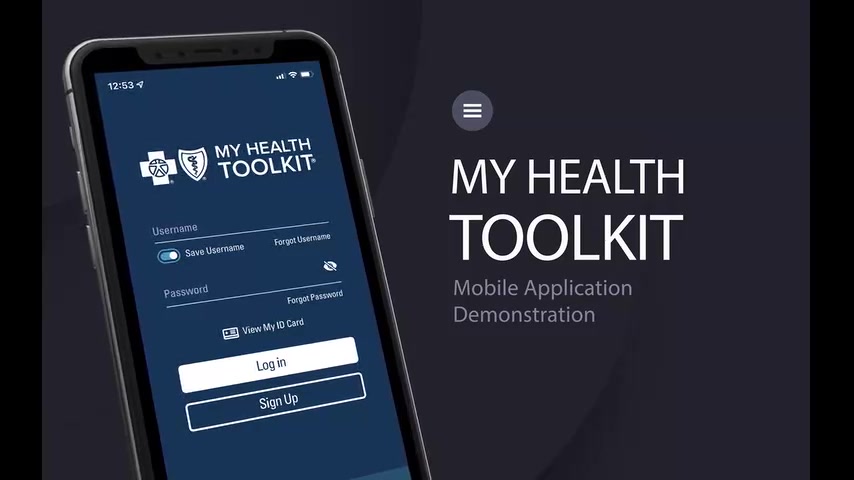
Health Plan Help at Your Fingertips
My Health Toolkit makes it easy to manage your health benefits all in one place. Through the website or mobile app, you can access your digital ID card, review claims, track deductible and out-of-pocket expenses, find in-network providers, and explore your coverage details. You can also update communication preferences and securely access your account whenever you need it.
Understanding Your Explanation of Benefits
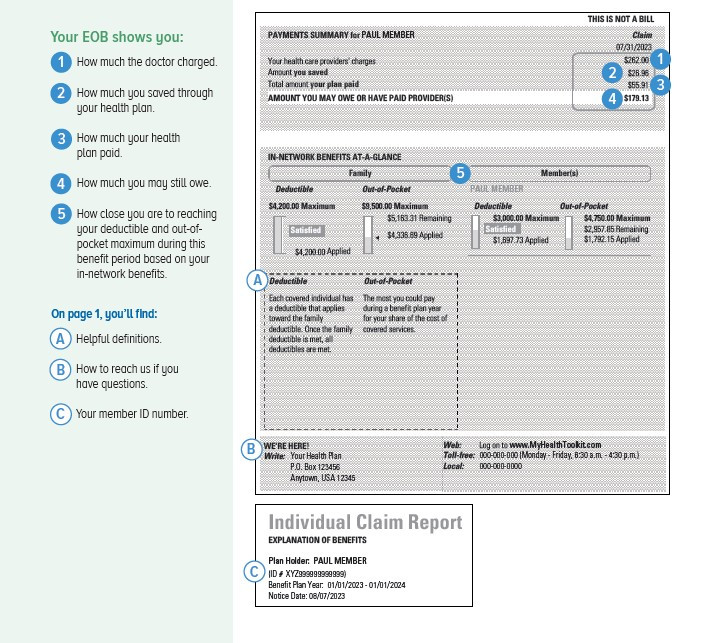
An Explanation of Benefits (EOB) is a statement sent by your health plan after medical services are processed. Your EOB helps you understand what your provider charged, what your health plan paid, how much you saved through your plan, and any amount you may still owe. Most importantly, an EOB is not a bill. Learning how to read your EOB can help you track healthcare expenses, monitor deductible progress, and spot potential billing errors.
For Internal Use Only
Prescription Drug Coverage


The McLeod Choice Pharmacy
Make the most of your prescription benefits by choosing McLeod Choice Pharmacy. Employees enrolled in a McLeod medical plan can access convenient pharmacy locations in Florence and Seacoast, delivery to McLeod campuses in Loris, Dillon, Carolina Forest, Clarendon, and Cheraw, with personalized support from knowledgeable pharmacists who can answer questions and provide medication consultations. The pharmacy also offers payroll deduction options, prescription compounding services in Florence, and a large selection of over-the-counter products. Certain weight loss medications are covered when dispensed through McLeod Choice Pharmacy, and employees can conveniently manage refills through the MyChart mobile app. Simply search "MyChart" in your device's app store to get started. Many medications offer lower out-of-pocket costs when filled through McLeod Choice Pharmacy, helping you save money while receiving exceptional service close to home and work. For assistance, call 843.777.2166 (Florence) or 843.366.3107 (Seacoast) or visit www.mcleodchoicepharmacy.org.
Advanced Choice Pharmacy Network
Your prescription drug coverage includes access to the Advanced Choice Pharmacy Network, giving you the flexibility to fill prescriptions at McLeod Choice Pharmacy, CVS, Walgreens, Walmart, Kroger, and many other participating pharmacies. While these options provide convenience, using a non-McLeod pharmacy may result in higher out-of-pocket costs and an additional pharmacy deductible under the Core and Enhanced Medical Plans. By choosing McLeod Choice Pharmacy, you can take advantage of lower-cost prescription benefits, personalized pharmacist support, convenient campus delivery options, and integrated pharmacy services designed to help you get the most value from your healthcare dollars.


Maintenance Drug Mail Order Service
If you take medications for ongoing or chronic conditions, McLeod's Maintenance Drug Mail Order Service makes staying on track simple and convenient. All maintenance medications must be filled through McLeod Choice Pharmacy. Most maintenance medications can be provided in a 90-day supply and delivered directly to your home, often within four business days. Over-the-counter products can also be delivered with your prescription order. Employees are encouraged to ask their providers for 90-day prescriptions whenever possible to maximize convenience and reduce trips to the pharmacy. To learn more or enroll in mail order service, call 843.777.2166 (Florence) or 843.366.3107 (Seacoast), or visit www.mcleodchoicepharmacy.org
Save More with Step Therapy
Step Therapy helps you get the medication you need at the lowest appropriate cost. When a safe and effective generic option is available, it may be provided first, helping reduce your out-of-pocket expenses while maintaining quality care. If a brand-name medication is medically necessary, your provider can work through the approval process to determine coverage. For questions about your medications, contact McLeod Choice Pharmacy at 843.777.2166 or McLeod Choice Pharmacy Seacoast at 843.366.3107 or visit www.mcleodchoicepharmacy.org.

For Internal Use Only
Health Savings Account

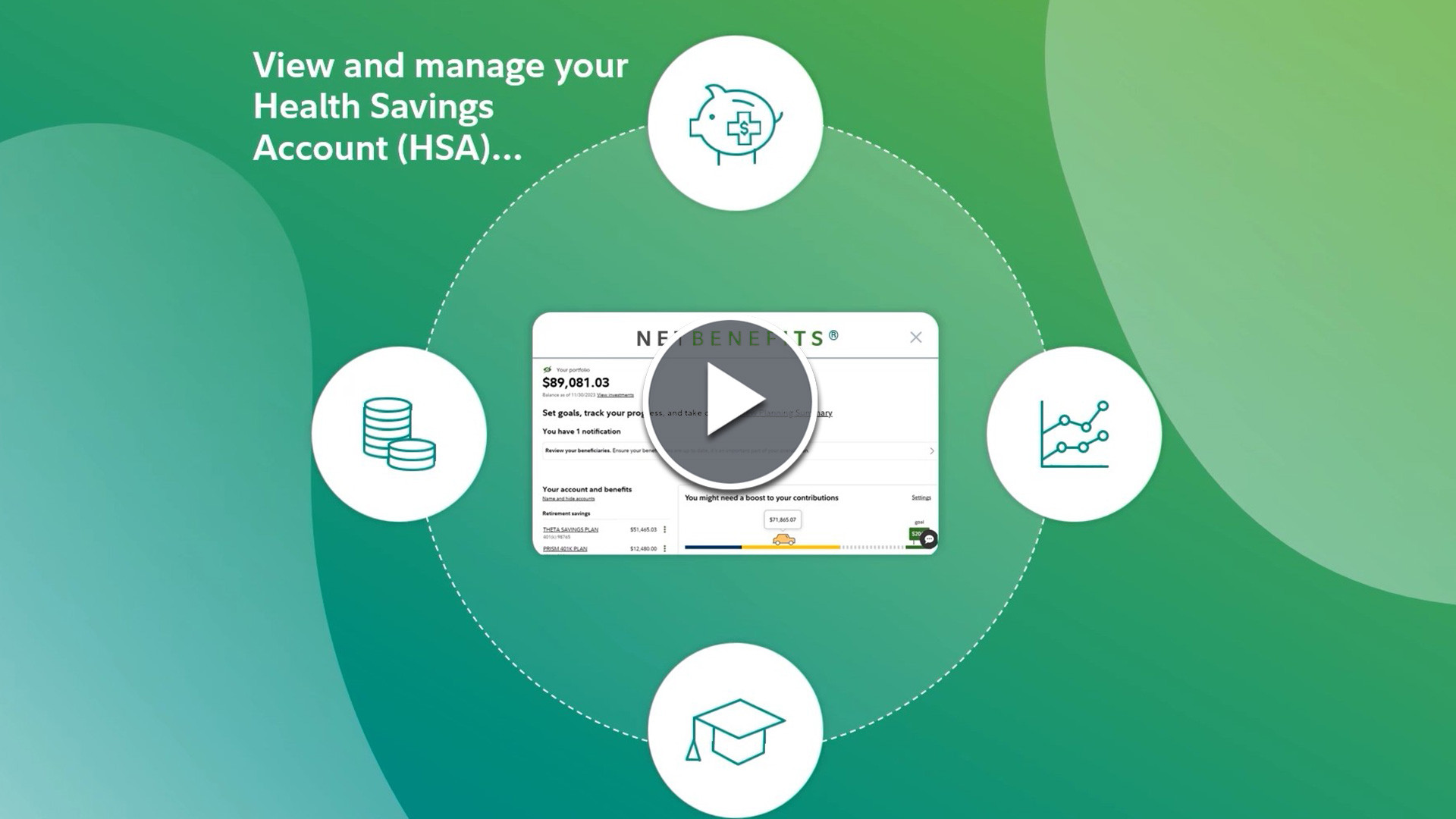
Save for Expenses with a Fidelity Health Savings Account
A Health Savings Account (HSA) is a tax-advantaged account available to employees enrolled in the High Deductible Health Plan (HDHP). An HSA allows you to save and pay for eligible healthcare expenses while enjoying unique tax benefits.
Your HSA dollars go further because:
-
Contributions are made pre-tax
-
Money can be used tax-free for eligible healthcare expenses
-
Investment earnings may grow tax-free
-
McLeod Health helps employees build their healthcare savings by contributing:
-
Employee Only Coverage: $250 annually
-
Family Coverage: $500 annually
-
Funds can be used for eligible expenses including doctor visits, prescriptions, dental care, vision care, and many other qualified healthcare costs. Eligibility requirements apply.
Growing Your HSA Through Investing
An HSA can be more than a spending account. Once your healthcare needs are covered, your balance can remain in the account year after year and be invested for future healthcare expenses.
Unlike a Flexible Spending Account (FSA), unused HSA funds remain yours and continue accumulating. Fidelity offers investment options that can help account holders potentially grow their balance over time while saving for future medical expenses and retirement healthcare costs.Whether you're building an emergency healthcare fund or preparing for long-term expenses, investing through your HSA may help maximize the value of your healthcare savings strategy.

For Internal Use Only
Health & Dependent Care Flexible Spending Accounts (NEW)
Flexible Spending Accounts (FSA's)
The Health Care FSA allows you to pay for certain out-of-pocket medical, dental, vision and prescription expenses with tax-free dollars. The amount you save through this account is deducted from your paycheck before taxes are calculated and withheld. You can submit receipts to receive reimbursement or use your MyChoice Accounts FSA debit card and have the pre-tax dollars taken from your account at the time of the purchase.
Health Care FSA: You can contribute $4 – $141.66 per pay period up to $3,400* maximum per year.
Dependent Care Flexible Spending Accounts (DCFSA's)
The Dependent Care FSA is designed to let you pay for certain childcare or adult day or home care expenses with taxfree dollars. You must first elect to have a specified amount of pre-tax money deducted from each paycheck and put into your Dependent Care FSA. You will then pay your dependent care provider, fill out a reimbursement claim form, and submit the form along with other required documents for reimbursement to BusinessSolver.
Dependent Care FSA: You can contribute $4 – $312.50 per pay period up to $7,500* maximum per year. Leftover funds in the Dependent Care FSA will be forfeited at the end of the year.
Managing Your MyChoice Account
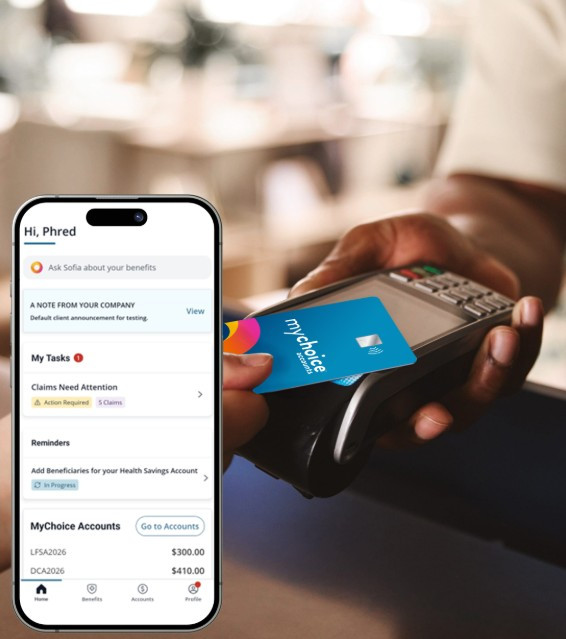
MyChoice Accounts provides convenient tools to help you manage your Flexible Spending Accounts throughout the year. Through the MyChoice website and mobile app, you can review account balances, submit claims, upload documentation, track reimbursements, manage your debit card, and access important account information anytime.The MyChoice Benefits App and online portal make it easy to stay connected to your accounts wherever you are. Employees can also access Sofia™, the virtual benefits assistant, along with educational tools and resources designed to help you make the most of your benefits.

Rollover Funds
You may carry over up to $680 in unused funds to the next plan year. Any remaining balance over $680 at the end of the plan year will be forfeited.
For Internal Use Only
Dental


Basic Plan
The Delta Dental Basic Plan helps you maintain good oral health through comprehensive preventive and routine dental care. Covered services include exams, cleanings, X-rays, fillings, and extractions, with preventive services covered at 100% and basic restorative care covered at 80%. With a $1,000 annual maximum benefit, this plan is ideal for employees who primarily need preventive care and occasional routine dental treatment.
High Plan
The Delta Dental High Plan provides enhanced financial protection for both routine and more extensive dental care needs. In addition to covering preventive and basic services, the plan includes benefits for major restorative procedures such as crowns, bridges, dentures, root canals, periodontal treatment, and dental implants. The plan also includes orthodontic coverage and a higher annual benefit maximum of $1,650, helping reduce out-of-pocket costs for employees and family members who anticipate ongoing or more complex dental treatment.


Find a Dentist
Delta Dental makes it easy to find quality dental care through its extensive PPO Plus Premier network. Members can search for participating general dentists, specialists, and other providers near their home or workplace using Delta Dental's online provider directory. Choosing an in-network provider can help maximize your dental benefits, reduce out-of-pocket costs, and provide access to negotiated rates designed to help you get the most value from your dental coverage. Before scheduling your next appointment, use the provider search tool to confirm network participation and explore available care options in your area.
Member Tools & Resources
Delta Dental provides a variety of online tools and resources designed to help members make informed dental care decisions. Through your online account, you can access your benefit information, review claims, locate participating providers, estimate treatment costs, and explore educational resources to help you better understand and use your dental benefits.
For Internal Use Only
Vision


Community Eye Care Network (CEC)
Regular eye exams are an important part of maintaining both your vision and overall health. Through the CEC Vision Plan, members receive an annual routine eye exam, contact lens fitting or evaluation, and a $200 flexible eyewear allowance that can be used toward frames, lenses, contact lenses, sunglasses, special lens options, and more. Non-prescription eyewear, including blue-light-blocking glasses, readers, safety glasses, and sunglasses, are also covered. Members have access to a broad network of eye care providers and can receive out-of-network reimbursement benefits when utilizing non-participating providers.
For Internal Use Only
Life and AD&D

Basic Life Insurance
Basic Life Insurance is provided by McLeod Health at no cost to eligible employees. This coverage provides a benefit equal to one times your annual base salary, with a minimum benefit of $10,000. Basic Life Insurance can help provide financial protection for your loved ones by helping cover expenses and replacing a portion of lost income in the event of your death.
Voluntary Life Insurance
Voluntary Life Insurance allows you to purchase additional life insurance coverage for yourself beyond the Basic Life Insurance provided by McLeod Health. Coverage is available in increments based on your annual earnings and can help provide additional financial protection for your family should the unexpected occur. Dependent Life Insurance coverage is also available for eligible spouses and children.


Voluntary AD&D Insurance
Accidental Death & Dismemberment (AD&D) Insurance provides an additional benefit if a covered injury or accidental death occurs. AD&D coverage helps provide financial protection for you and your family and may be used in conjunction with your life insurance coverage. Benefits are paid according to the terms of the policy and may help offset expenses resulting from a covered accident.
For Internal Use Only
Disability and Leave of Absence

Short-Term Disability (First Year of Employment)
The Unum Short-Term Disability Benefits is for new hires only. After a year of service, employees will be enrolled in the New York Life Short-Term Disability plan.
An illness or injury can take you away from work unexpectedly. Voluntary Short-Term Disability through Unum helps provide income replacement during the first year of employment, before eligibility for McLeod's employer-paid disability benefits begins.


Short-Term Disability (After 12 Months of Service)
Employees who have completed 12 months of service are eligible for McLeod Health's Short-Term Disability coverage through New York Life. Eligible employees are automatically enrolled in the employer-paid Core Plan, which provides a benefit of 50% of covered weekly earnings for qualifying disabilities. Employees may also elect the optional Buy-Up Plan, increasing coverage to 60% of covered weekly earnings.
A covered illness or injury can take you away from work unexpectedly. New York Life Short-Term Disability coverage helps provide income protection during recovery and offers financial support when you are unable to work due to a qualifying disability. Benefits may continue for up to 26 weeks, subject to plan provisions and eligibility requirements.
Long-Term Disability
Employees who have completed 12 months of service are eligible for McLeod Health's Long-Term Disability (LTD) coverage through New York Life. Eligible employees are automatically enrolled in the employer-paid Basic LTD Plan, which provides a benefit of 50% of covered monthly earnings for qualifying disabilities. Employees may also elect the optional Buy-Up LTD Plan, which increases coverage to 60% of covered monthly earnings and may provide a higher monthly maximum benefit.
A serious illness or injury can have a lasting impact on your ability to work. New York Life Long-Term Disability coverage helps provide income protection when a qualifying disability extends beyond the Short-Term Disability period. Benefits begin after 180 consecutive days of disability and may continue for an extended period, subject to plan provisions and eligibility requirements, helping provide financial security during a prolonged absence from work.


Leave of Absence
If you need to take a leave of absence due to a medical condition, injury, pregnancy, or other qualifying event, New York Life helps administer the leave and disability process. Review resources to learn what to expect and how to begin a claim.
Additional Leave Guides can be found by going to Oracle and clicking on Benefits and Leave Documents.
For Internal Use Only
Critical Illness, Accident and Hospital Indemnity


Critical Illness Insurance
Critical Illness Insurance provides a lump-sum cash benefit if you're diagnosed with a covered condition such as cancer, heart attack, stroke, major organ failure, or other qualifying illnesses. Benefits are paid directly to you and can be used however you choose, including medical expenses, deductibles, household bills, transportation costs, or lost income during recovery. Coverage is portable, and benefits may be available for covered reoccurrences of certain conditions.
Accident Insurance
Accident Insurance provides cash benefits for covered injuries and treatments resulting from accidents that occur on or off the job. Benefits may help pay for emergency room visits, ambulance transportation, hospital stays, diagnostic tests, follow-up care, and other accident-related expenses. Benefits are paid directly to you, helping reduce the financial impact of unexpected injuries and recovery costs.


Hospital Indemnity Insurance
Hospital Indemnity Insurance helps provide financial support when you or a covered family member is admitted to the hospital due to a covered accident, illness, or childbirth. Benefits are paid directly to you and can help cover deductibles, copays, household expenses, and other costs that may arise during a hospital stay. Coverage is portable and provides additional peace of mind when unexpected hospitalizations occur.
Be Well Benefit
The Be Well Benefit rewards you for taking an active role in your health. Covered members enrolled in eligible Unum plans may receive a wellness benefit for completing an annual preventive screening. Eligible screenings include annual exams, cancer screenings, cholesterol and diabetes screenings, immunizations, vision exams, and other preventive services that support overall health and wellness.

For Internal Use Only
Whole Life and Hybrid Life with Long-Term Care

Whole Life Insurance
Whole Life Insurance provides lifelong financial protection for your loved ones while also building guaranteed cash value over time. Unlike term life insurance, coverage does not expire after a set number of years and can stay with you as long as premiums are paid.

Hybrid Life & Long-Term Care Insurance
This hybrid benefit combines Life Insurance and Long-Term Care protection in a single policy. Benefits may be used for qualified long-term care expenses, life insurance protection for beneficiaries, terminal illness benefits, or a combination of these features. Unlike traditional long-term care insurance, the policy is designed to provide value whether long-term care is needed or not. Additional features include extended benefits, premium guarantees through age 100, and Concierge Care Coaching services.
Enroll by November 8th, 2026, using the link below.
For Internal Use Only
Pet Insurance


Pet Insurance
Pets are family, too. MetLife Pet Insurance helps cover the cost of unexpected accidents and illnesses, giving you financial protection when your pet needs care. Flexible plan options allow you to choose coverage that fits your pet's needs and your budget, with the freedom to visit any licensed U.S. veterinarian.
You can also choose optional preventive care coverage and take advantage of features like multi-pet discounts, family plans, and reimbursement options that help make caring for your pets more affordable.
Questions? Contact MetLife at 1-800-GET-MET8 (1-800-438-6388)
For Internal Use Only
Identity Theft Protection


Protect Your Identity & Finances
MetLife + Aura Identity & Fraud Protection helps safeguard your identity, finances, privacy, and personal information. Features include credit monitoring, fraud alerts, dark web monitoring, scam protection, and expert support to help you respond quickly to potential threats.
Get Started with Aura
Once enrolled, create your Aura account to activate monitoring tools, manage alerts, access the mobile app, and customize your protection settings. Aura support is available 24/7 to help answer questions and assist with fraud resolution.
Need Help? Aura Customer Support is available 24/7 at 1-844-931-2872.

New for 2027: Life360 Family Safety Bundle
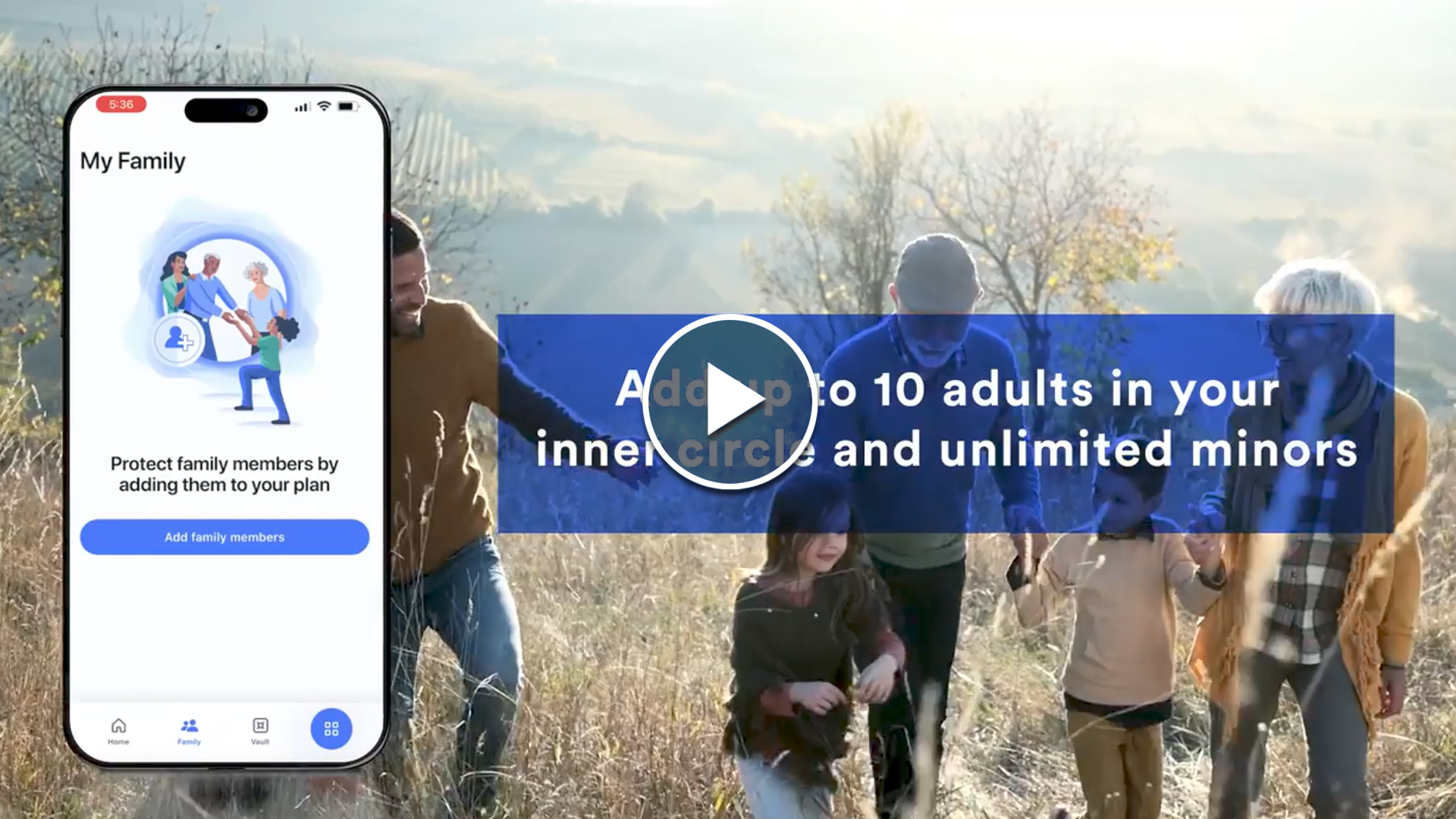
As part of the enhanced Aura Identity & Fraud Protection offering, employees enrolled in the family plan will now receive access to Life360 Platinum, a leading family safety and location-sharing app. Life360 helps families stay connected and protected through features such as live location tracking, crash detection, emergency dispatch, roadside assistance, driver safety reports, and travel support. Combined with Aura's identity, fraud, and cyber protection capabilities, this new addition provides employees with peace of mind for both their digital and real-world safety needs.
For Internal Use Only
529 College Savings Plan


529 College Savings Plan
The 529 College Savings Plan is designed to help families save for future education expenses through an investment account that offers tax-advantaged growth potential. Funds can be used for qualified education expenses, including tuition, fees, books, supplies, and other eligible costs for higher education.
Through McLeod Health's relationship with Raymond James, employees have access to resources and guidance to help create an education savings strategy that aligns with their family's goals. Whether you are saving for a child, grandchild, or other eligible beneficiary, a 529 College Savings Plan can help you prepare for future education costs while providing flexibility and long-term savings opportunities.
For additional information, educational resources, or assistance getting started, contact Gene F. Swindle, at 866-522-9699.
For Internal Use Only
Employee Assistance Program


Employee Assistance Program
Our Employee Assistance Program (EAP) is available to you and all members of your household at no cost. This includes dependent children up to age 26 whether or not they live at home. Services are confidential 24 hours a day, 7 days a week.
Access educational resources and services, including:
-
Daily life assistance
-
Emotional wellbeing support
-
Up to 6 counseling sessions per issue each per year
-
Financial services
-
Legal services - Free 30 minute consultation with a participating attorney
-
Online resources (articles, assessments, video resources, fitness discounts, and more).
For Internal Use Only
Emergency Transport Services

Emergency Transport Protection When You Need It Most
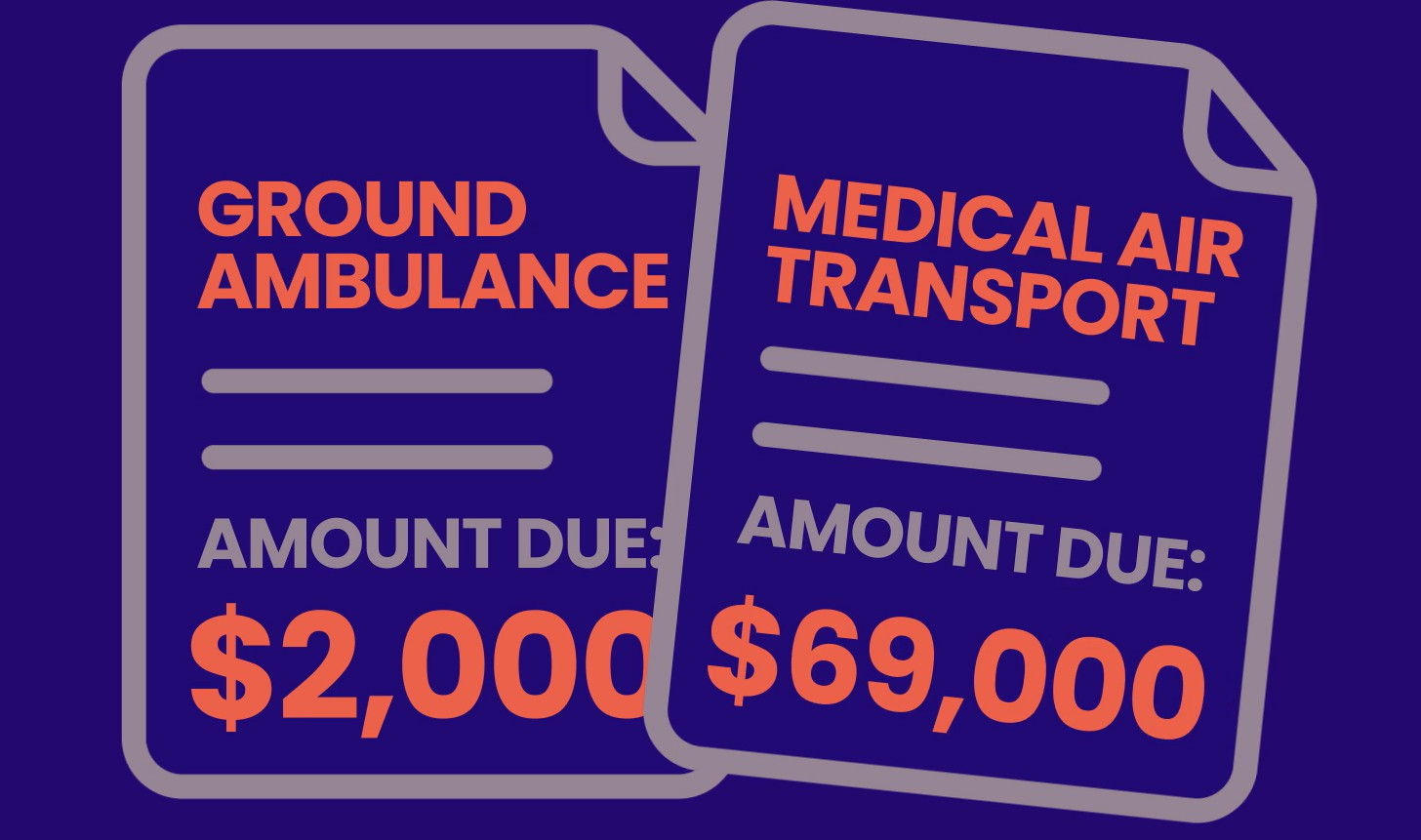
Emergency medical transportation can be one of the most expensive and unexpected costs associated with a medical emergency. MASA helps protect you and your family from out-of-pocket expenses related to emergency ground and air ambulance transportation that may not be fully covered by your health insurance. Designed to complement your existing medical coverage, MASA provides protection when you need emergency transport services most.
Choose the Plan That's Right for You
MASA offers two coverage options. Emergent Plus focuses on emergency transportation protection, while Platinum adds additional travel and transportation benefits for members and their families.
We understand that some emergencies can lead to added challenges in the immediate days that follow — this is when the MASA Member Services team can provide compassionate, real-time assistance when you need it most.
Member Services: (800) 643-9023
Member portal: masaaccess.com/member
Claims email: ambulanceclaims@masaglobal.com
Smartphone app: MASA Global
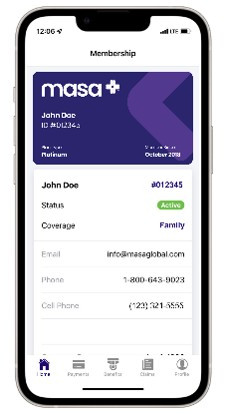
Access Your Benefits
Manage your membership, access your digital ID card, submit claims, and learn how to use your MASA benefits through the resources below.
- Access your digital ID card
- View plan documents and benefit
- View your claims history
For Internal Use Only
